Drive Victory 3D Car Battle
About
Drive Victory 3D is a great choice for quick gaming sessions with a friend. The controls are straightforward, and the matches are fast. The objective is clear: crash into your opponent to score points. The game offers just enough strategy to keep it interesting without being complicated. It is perfect for casual players looking for some competitive fun.
Game Introduction
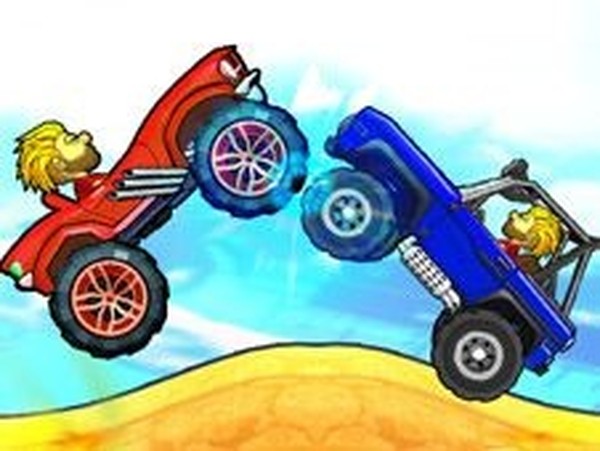
Drive Victory 3D is an exciting two-player car battle game where players compete head-to-head in a high-speed crash contest. The objective is simple: crash into your opponent's car to score points. The first player to reach five wins takes the whole match. This game is perfect for quick sessions with friends or family, offering endless entertainment and friendly competition. No complicated rules, just pure driving action and strategy to outmaneuver your rival. Get ready for a thrilling ride where every collision counts and victory is just a crash away.
How to Play
To play Drive Victory 3D, you need two players. Player 1 uses the A and D keys to move the blue car left and right. Player 2 uses the left and right arrow keys to control the red car. The objective is to crash into the other car to earn a point. Each successful crash gives you a win, and the first player to get five wins wins the whole game. Choose your car from the selection screen, then start the battle. Use timing and positioning to ram your opponent while avoiding their attacks. It is simple to learn but requires quick reflexes and smart tactics to master.
Game Features
Fun two-player car battle with simple controls and quick matches. Easy to learn, with fast-paced rounds that keep you coming back for more. Choose from different cars and enjoy the thrill of head-to-head competition. The game is designed for two players, making it a great choice for playing with a friend. The 3D graphics enhance the driving experience, and the action-packed gameplay ensures every match is exciting.
Tips for Success
To dominate in Drive Victory 3D, practice your timing and positioning. Anticipate your opponent's movements and try to predict where they will go. Use quick reflexes to dodge incoming crashes while setting up your own attacks. Communicate with your friend to make the game more fun, but stay focused on the objective. The more you play, the better you will become at reading your opponent's strategies and securing those five wins.