Pixel Heroes Jigsaw Puzzle
About
Pixel Heroes Jigsaw Puzzle offers a calming yet engaging experience with its colorful pixel art and intuitive controls. The multiple difficulty levels make it accessible to all ages, while the hint system prevents frustration. It's an excellent choice for puzzle lovers seeking a screen-time activity that is both fun and brain-friendly.
Game Introduction
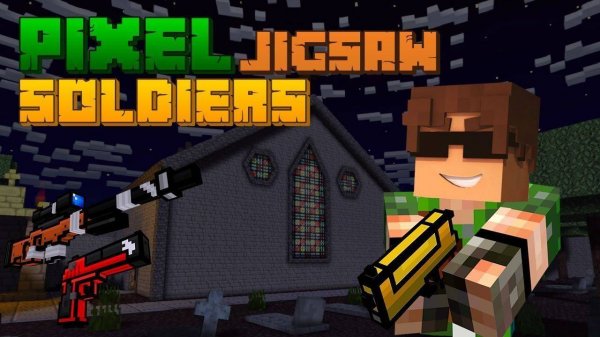
Pixel Heroes Jigsaw Puzzle is a family-friendly puzzle game that combines the charm of pixel art with the classic fun of jigsaw puzzles. Players are presented with vibrant pixel hero images that need to be assembled piece by piece. The game is designed to be suitable for all ages, offering a relaxing yet mentally stimulating experience. With multiple difficulty levels, it caters to both beginners and puzzle enthusiasts. The intuitive interface and smooth gameplay make it easy to start playing, whether you have a few minutes or want to unwind for longer sessions.
How to Play
To play Pixel Heroes Jigsaw, simply select a pixel hero image from the available collection. Choose your preferred difficulty level, which determines the number of pieces. Then, drag and drop the puzzle pieces into the correct positions on the board. You can rotate pieces if needed to help them fit. The game provides a preview of the complete image for reference. As you correctly place pieces, they lock into place, and you can track your progress. The goal is to complete the entire picture, enjoying the satisfying process of assembly.
Game Features
Colorful pixel art brings the hero images to life. Multiple difficulty levels allow players to choose from easy to challenging puzzles. Intuitive drag-and-drop controls make the gameplay smooth and accessible. The game is family-friendly, with content suitable for all ages. A preview of the complete image is provided to assist with assembly. Pieces lock into place when correctly positioned, and progress can be tracked throughout the puzzle.
Tips for Success
Start with easier difficulty levels to get familiar with the controls and the style of pixel art. Use the provided image preview frequently to guide your piece placement. Sort pieces by color or edge patterns to make assembly faster. Take breaks if you feel stuck, as a fresh perspective often helps. Practice regularly to improve your puzzle-solving speed and enjoy the process of seeing the image come together piece by piece.